Problem/Symptoms:
When attempting to run the AccessGANO application a dialog asking for proxy information keeps popping up (even though I'm not behind a proxy). I also see the error below in the "launcher.log" file (located in the root of the AccessGANO application's installation folder located by default at C:\Users\[user]\AppData\Local\AccessGANO\).
javax.net.ssl.SSLHandshakeException: PKIX path building failed: sun.security.provider.certpath.SunCertPathBuilderException: unable to find valid certification path to requested target
Root Cause:
The most common reason for this issue is the application is being run on a network that requires an SSL certificate that was provided by an internal Root CA or is a Self-Signed Certificate. This can cause problems with Java since the certificate is not signed by an authority in Java's "trusted" list of Certificate Authorities.
Test:
The following test can help determine if the fix described below is a possible solution.
- From the computer experiencing the problem with AccessGANO click on the following URL to verify this resource can be accessed.
- The link above should open in a new tab or window (depending on your browser settings), and the content of the URL should start with
# Access/GANO Getdown script
- If you ARE NOT ABLE to access the content using the link above then the fix below probably will not address the problem you're experiencing.
- It is more likely that firewall rules on your network are preventing access to the necessary files.
- Please consult your IT department and provide them with a link to this page for their troubleshooting benefit.
- If you ARE ABLE to access the content using the link above then the fix below may address the problem you're experiencing.
Likely Resolution:
If you were able to access the URL above it is likely that your network is using a certificate not recognized by the application. If this is the case the certificate can be imported directly into the application because we know that the certificate is "valid". In doing so, we tell the application that this is a "trusted" certificate.
The next step is to export the certificate so that it can be sent to JWA staff to be imported into the application.
The following instructions are provided for the Chrome browser, but similar steps are available for all other browsers.
- While connected to your corporation's network click on the URL provided in the "Test:" section above to open the address in another browser window/tab
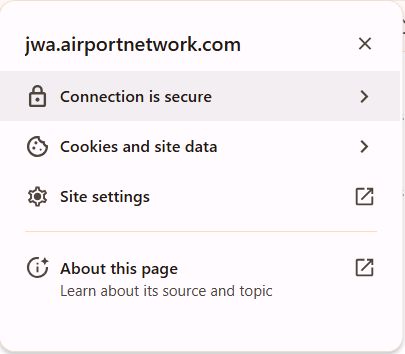
- Click on the lock icon next to the browser's address bar
Edge Chrome 

- In the dialog that appears click "Connection is secure"
Edge Chrome 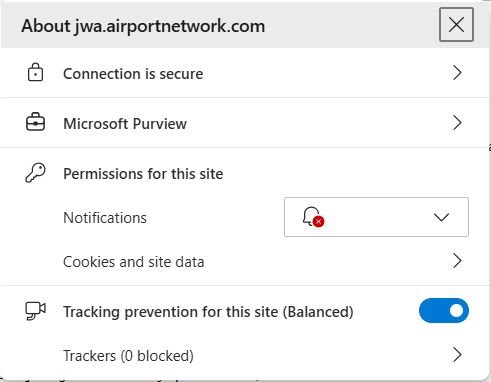
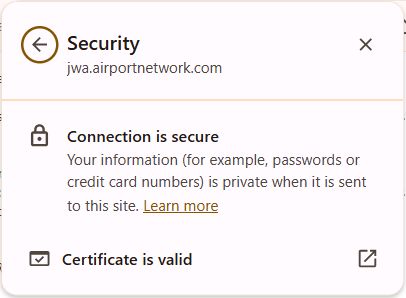
- In the dialog that appears click certificate icon in the upper right corner (Edge) or "Certificate is valid" (Chrome)
Edge Chrome 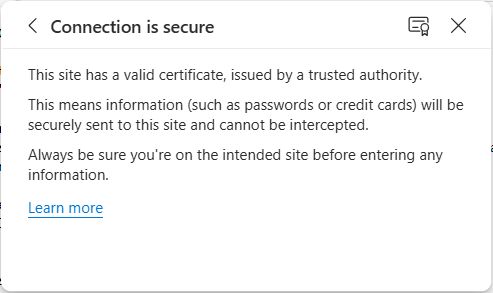
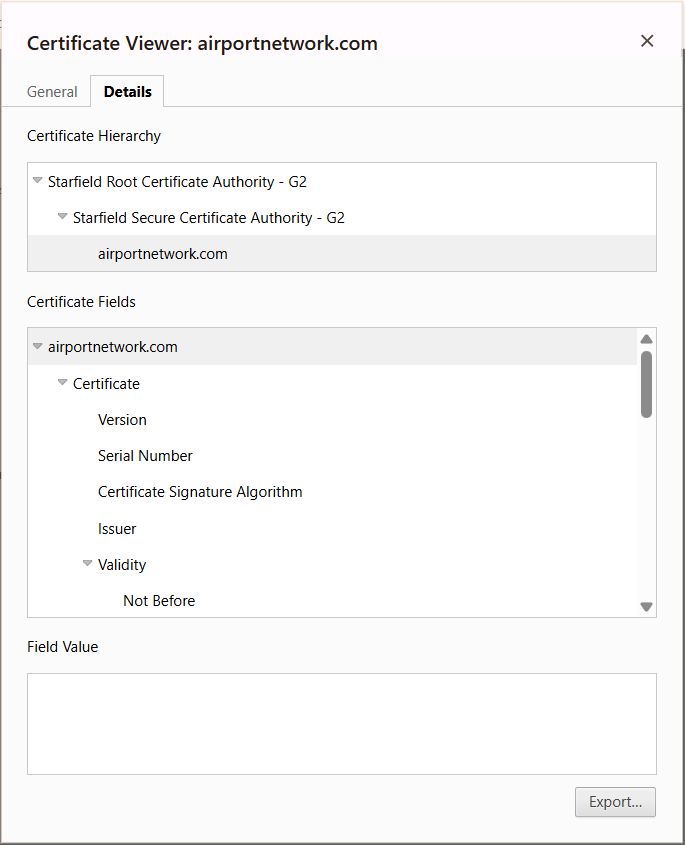
- Select the "Details" tab in the "Certificate Viewer" dialog that opens, and then click "Export..."
Edge Chrome 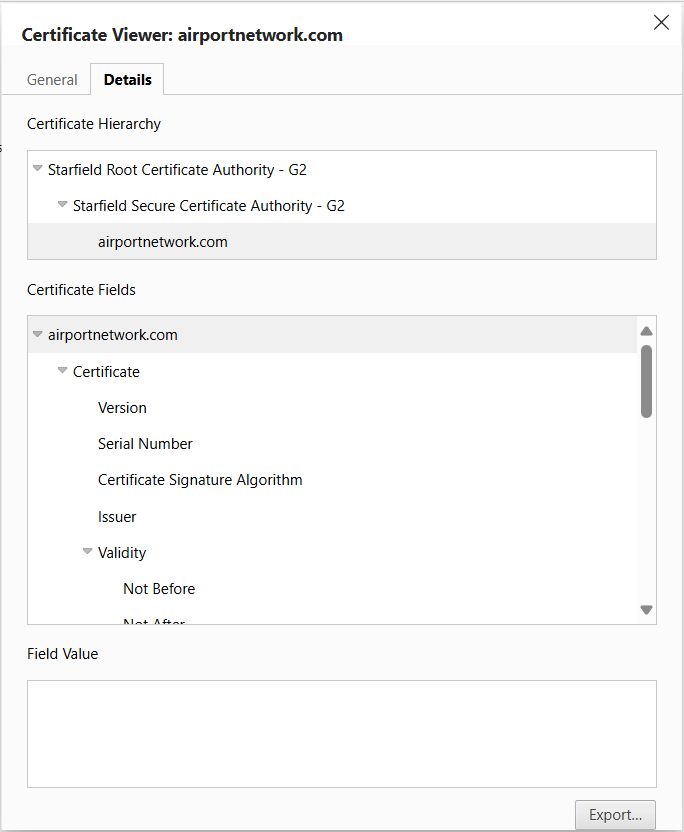
- In the "Save As" dialog that appears set the "Save as type" to "Base64-encoded ASCII, certificate chain (*.pem;*.crt)" then click "Save".
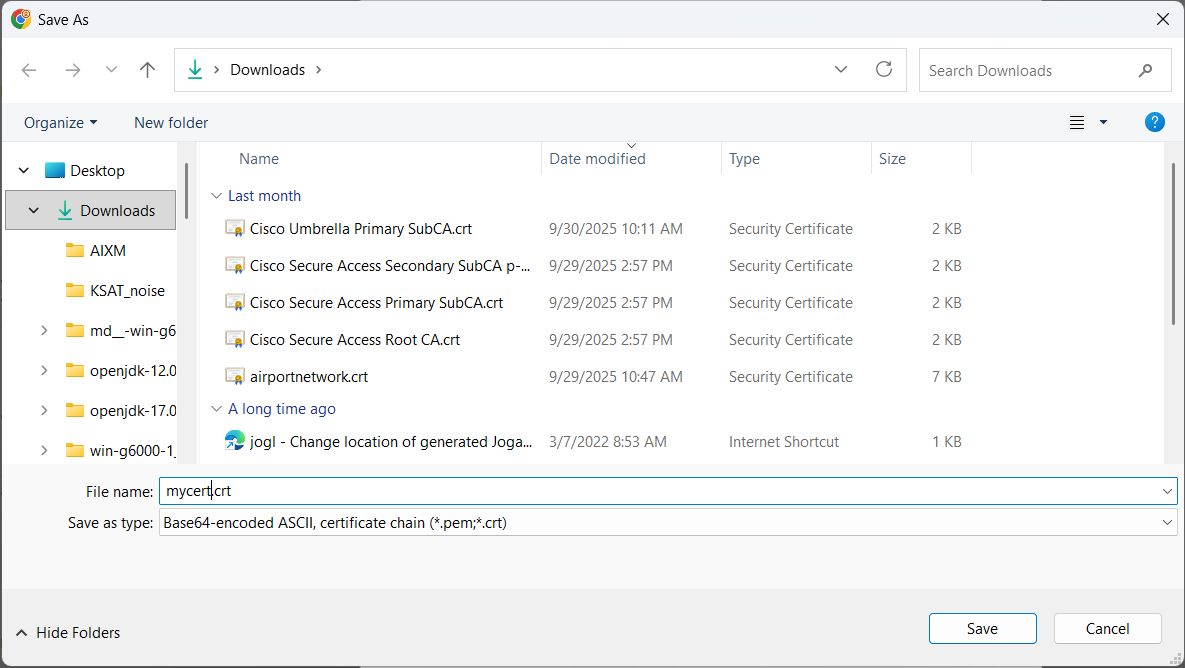
After completing the steps above you should have a file (with .CRT extension) that contains the certificate that needs to be imported into the AccessGANO application.
- Please take the following steps to send the certificate file to the John Wayne Noise Office
- Change the extension of the file from ".crt" to ".txt" (so the file can be emailed without being rejected)
- Email the file to your Noise Specialist contact at John Wayne Airport
The Noise Specialist will forward the file to BridgeNet (the AccessGANO vendor) who will do the following:
- The certificate will be imported into the Java "cacerts" file used by the AccessGANO application.
- The updated "cacerts" file will be returned to you via the Noise Office so that you can place the file containing the imported certificate in the application installation folder (see instructions below).
- The updated "cacerts" file will be placed in the AccessGANO installation package (.MSI) so that future installations will contain the imported certificate.
The final step to get the AccessGANO application working (assuming this was the problem)...
- The Noise Office will forward the updated "cacerts" file to you. When you receive this file you can take one of two approaches to get the AccessGANO application working.
- Place the updated "cacerts" file in the jre\lib\security folder located in the AccessGANO application's installation location (which by default is located at C:\Users\[user]\AppData\Local\AccessGANO)
- OR... uninstall the AccessGANO application (from Control Panel > Programs and Features), download the updated AccessGANO installer from HERE, and use the new installer to re-install the application.